Companion app
Stay Juicy, in and out of the game
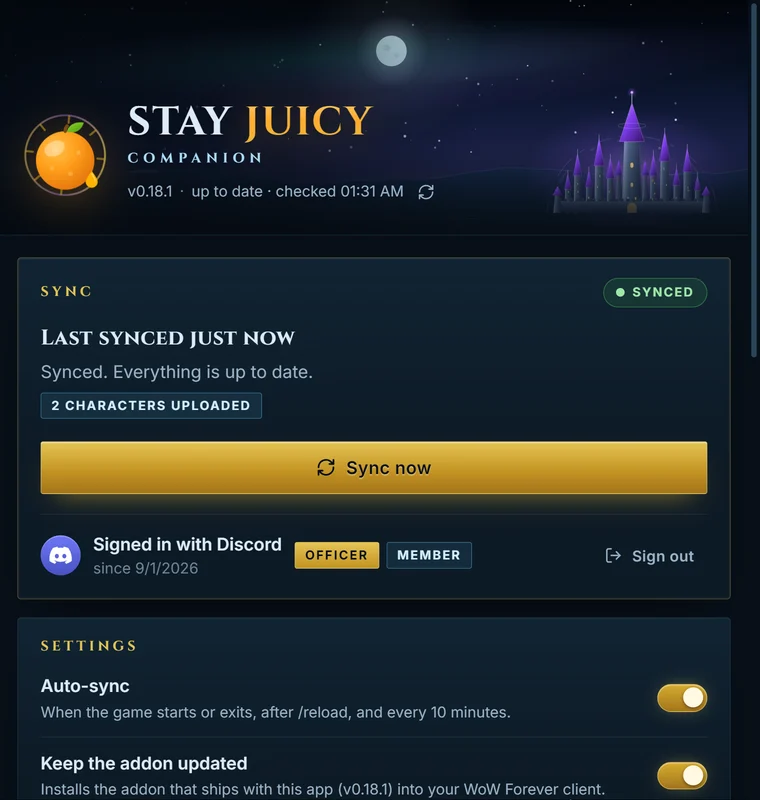
A small Windows app that keeps the website and the Stay Juicy addon in sync through your SavedVariables, the same channel addon managers use. It never touches the game process.
Version 0.18.2 · 27 September 2026 · 3.0 MB · Windows 64-bit · updates itself

How it works
One quiet loop between the game and the guild
The addon writes what it saw to disk, the app carries it to the site, and your raid comes back the other way.
 World of WarcraftThe Stay Juicy addon
↑ characters, roster, wishlist↓ assignments, loot council, catalog
Setup
Three steps, once
Pair
Open the app and press Pair. Your browser opens stay-juicy.com, you approve with Discord once, and the app gets a sync token you can revoke any time.
Install the addon
The app finds every World of Warcraft client, installs the Stay Juicy addon and keeps it updated. Restart the game if it was running.
Play
The addon captures your characters and the guild roster as you play. /reload or log out to flush them; the app syncs on its own.
Set and forget
Finds your game, keeps the addon current
Point it at nothing: it looks for your clients itself and takes care of the addon from then on.
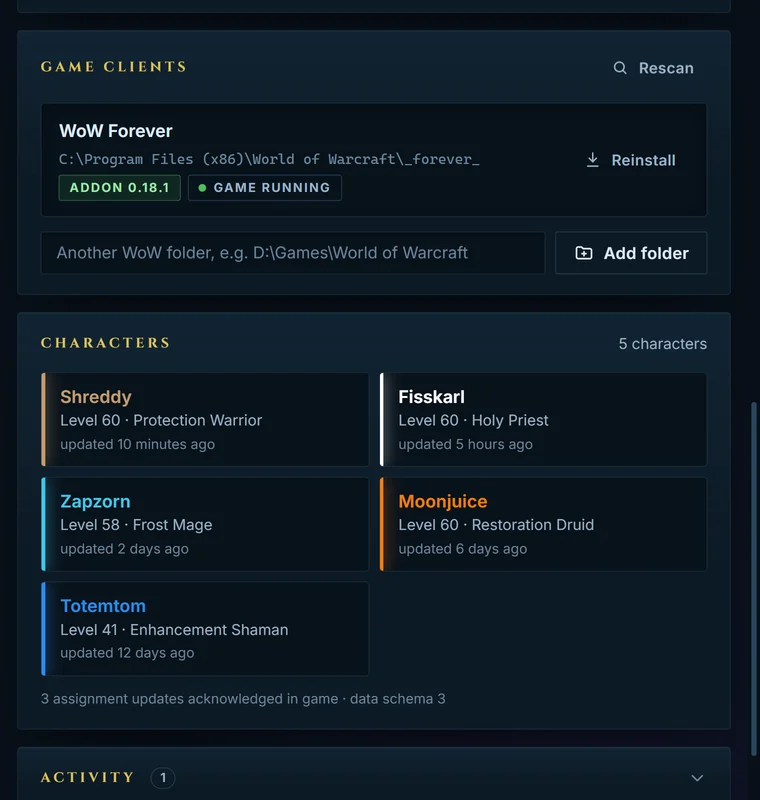
- Finds your World of Warcraft installs by itself, or add any folder.
- Installs the addon and updates it with every release.
- Uploads your characters' gear, spec and professions to the armory.
- Syncs when the game starts or exits, after /reload and every 10 minutes.
What syncs
Your raid, right there in game
Everything flows both ways, so what the officers plan on the site is waiting in your addon.
- ↑ SiteCharacter profiles: gear, spec and professions, matched to your roster entry.
- ↑ SiteGuild roster snapshots, captured on login and every hour.
- ↑ SiteWishlist changes you make in game.
- ↓ GameRaid assignments, readable in game before the pull.
- ↓ GameThe loot catalog, the council's ranking and your wishlist, so tooltips know what you want.

In game
Slash commands
/sj- Open the Stay Juicy window.
/sj assignments- View the assignments synced for the next raid.
/sj guild- Capture the guild roster for the next sync.
/sj status- What the addon has captured and how many updates are waiting.
/sj export- Copy this character's code to paste on the website (works without the companion).
Questions
Good to know
Is it safe to run next to the game?
It never touches the game process. Like an addon manager, it only reads and writes files in the game's WTF and AddOns folders. Its sync token lives in Windows Credential Manager, and you can disconnect the device any time from the member area.
Do I need it?
No. The addon works on its own, and /sj export gives you a code to paste on the website. The app just does it for you, and it's the only way raid assignments reach the game.
How does it update?
It checks for new versions by itself and installs them from a signed release, and it keeps the addon current in every game client it knows.
What does it cost?
Nothing. It's made by the guild, for the guild.
Ready when you are
Get the Companion
Version 0.18.2 · 27 September 2026 · 3.0 MB · Windows 64-bit. Pair once and forget about it.
You can disconnect a paired device any time from the member area. The companion keeps its token in Windows Credential Manager and only reads and writes files under the game's WTF folder.
